Bitwig Studio 6: Automation Clips, Clip Aliases, and More
Bitwig Studio 6 arrives March 11 with automation clips, clip aliases, and more.
Clarity Commitment
Tell me more
Contains affiliate links (marked *)

Have not yet used this product
Estimated read time: X minutes
Bitwig Announces Studio 6 for March 11 Release
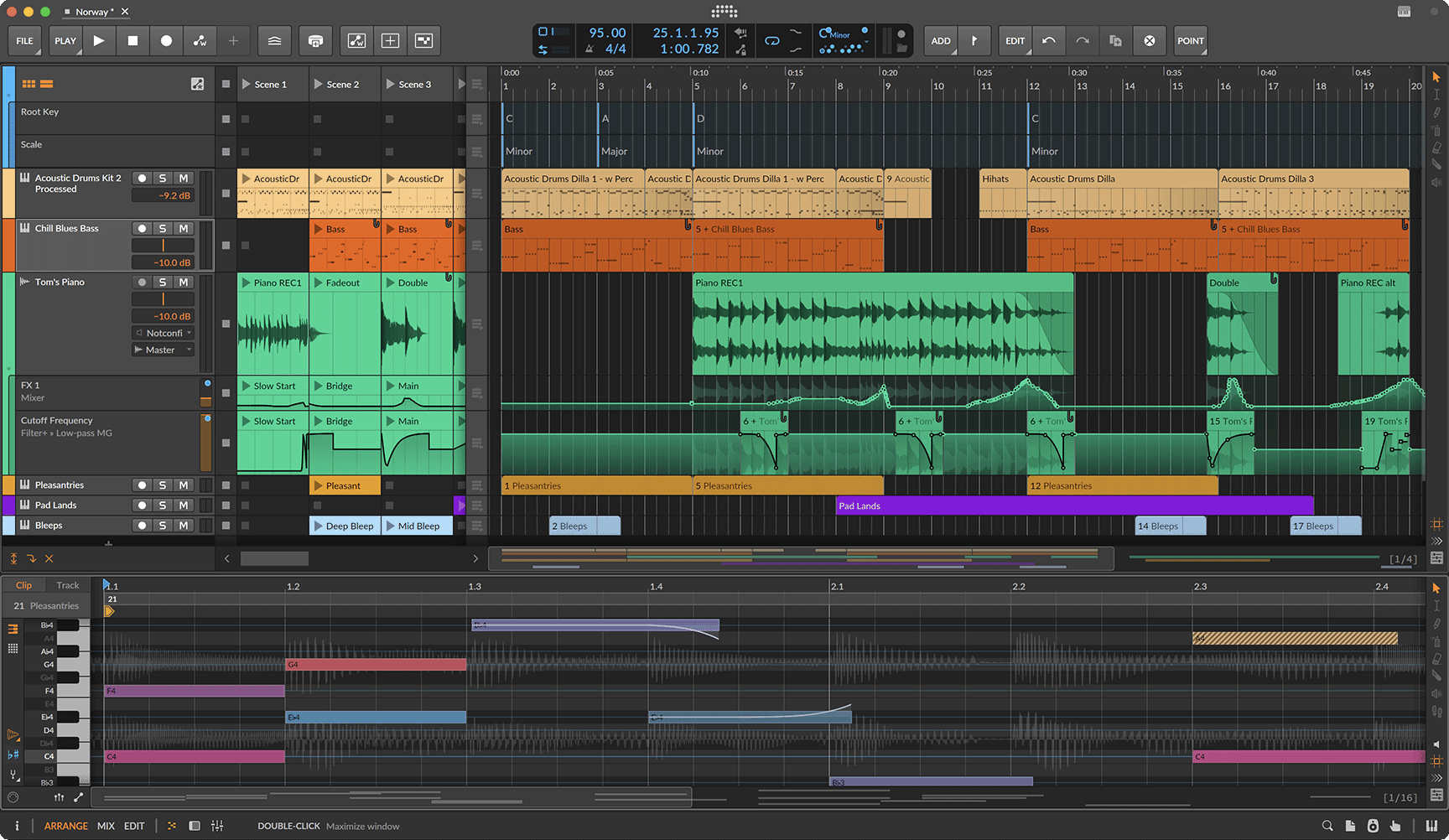
Bitwig has announced Bitwig Studio 6, a major update to its DAW launching on March 11, 2026. The release is a free upgrade for all customers with an active Upgrade Plan as of August 27, 2025 and covers five principal areas: automation editing, automation clips, clip aliases, a project-wide key signature system, and interface improvements.
Automation Editing Rebuilt from the Ground Up
The most extensive changes in Studio 6 are to automation. A new Automation Mode (triggered by pressing [A] to overlay automation lanes on tracks) makes it faster to get to the automation you want without navigating away from the arrangement. From there, editing gestures have been rethought: clicking near an automation line moves it up or down without creating a new breakpoint; dragging a point past another overwrites it rather than bunching; Time Selection lets you adjust a chunk of automation while leaving boundary values intact.
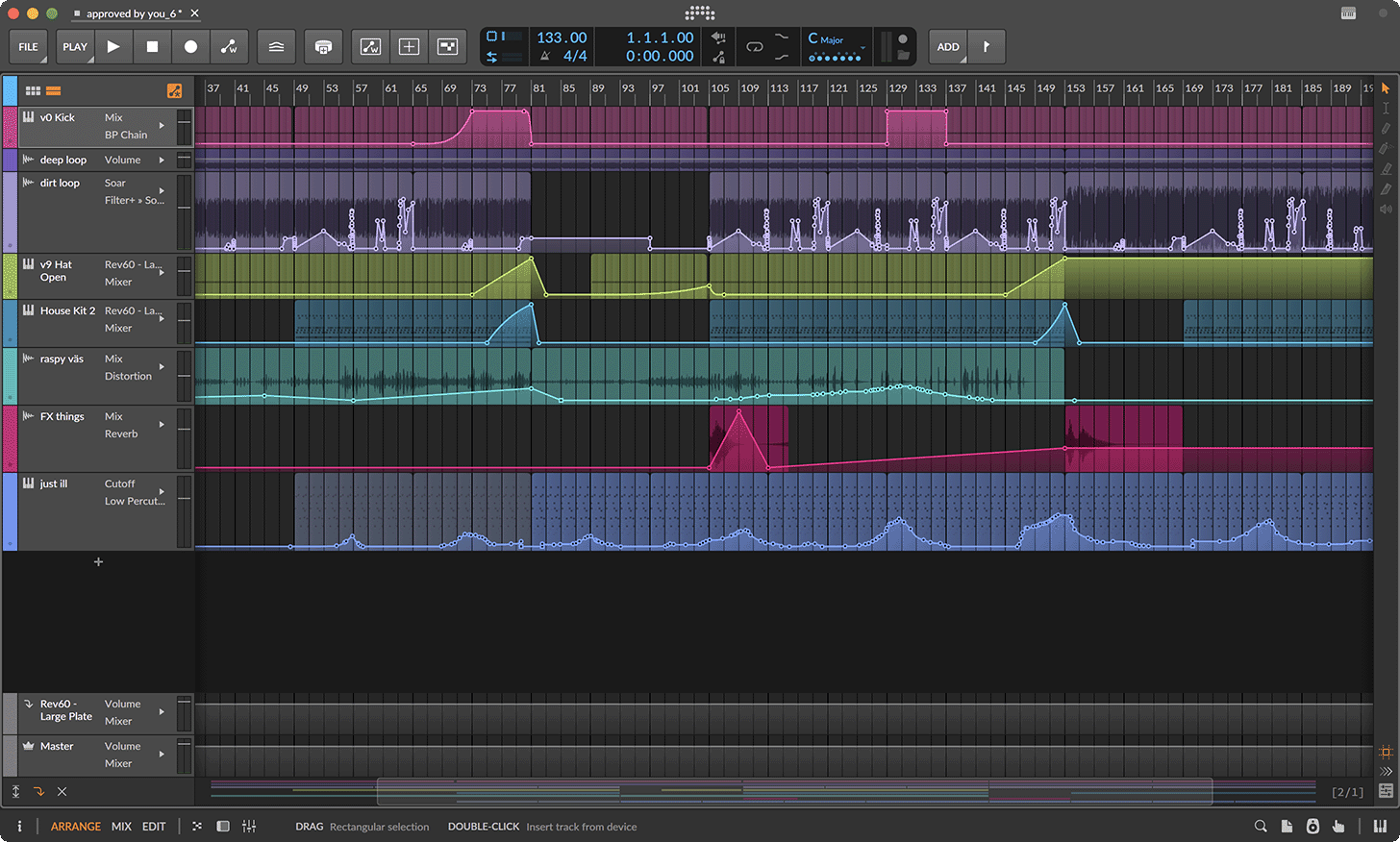
Two new automation behaviours extend what you can do with curves. Spread adds random variation within a defined range on each pass, inspired by Bitwig's Operators (the modular signal-processing blocks in The Grid), and is useful for adding organic movement to otherwise mechanical automation. Hold (shortcut [H] - locks a segment to a flat value) keeps a level constant until the next breakpoint, eliminating the need to manually lock down a value before a transition. Segment curvature is now adjustable from the Inspector, and the Pencil tool has been upgraded to translate freehand gestures into clean, simplified curves. The Spray Can tool (new in Studio 6) paints held points at the current grid interval rather than drawing a continuous curve - useful for creating rhythmic automation patterns quickly.
Automation Clips
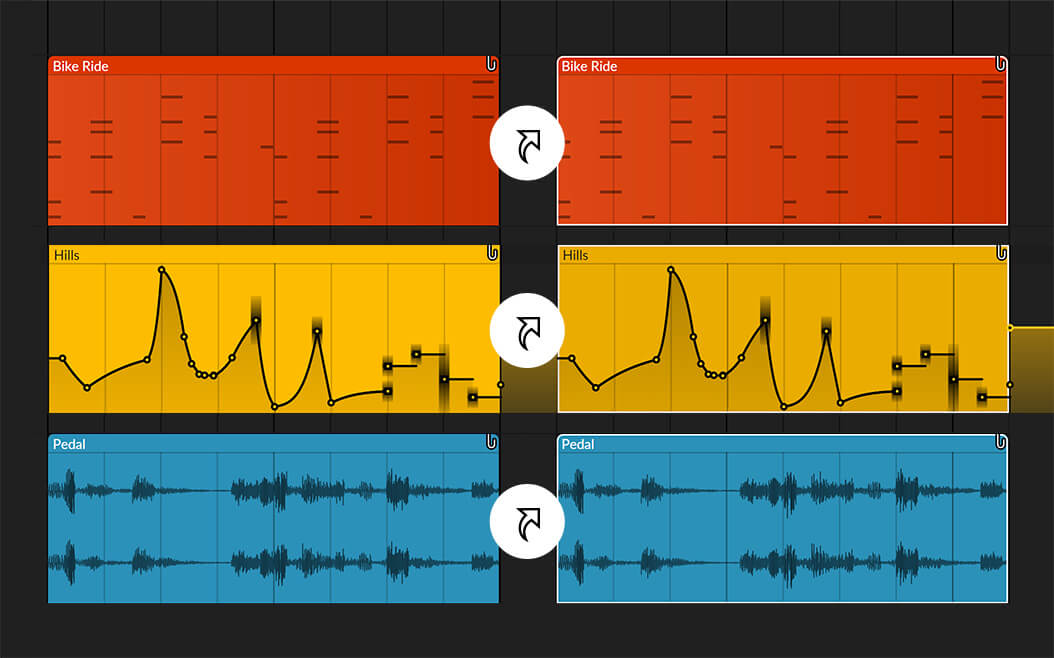
Alongside the editing overhaul, Studio 6 introduces automation clips - a format that treats automation as standalone clips rather than data embedded in the global timeline. Automation clips support looping, independent start times, time-shifting, stretching, and clip aliases (see below). Parent clip edits propagate through to automation clips automatically until you make a direct edit to the automation clip itself, at which point the two decouple.
Automation clips can be saved to the browser for reuse across projects and dragged directly onto devices to load their shapes into Bitwig's Segments (a multi-stage envelope modulator). The browser groups automation clips and BWCURVE files (Bitwig's curve file format) together for unified access.
Clip Aliases: Shared Patterns Across the Arrangement
Studio 6 adds clip aliases to the Clip Launcher (Bitwig's grid-based session view) and Arranger. Aliases share a "pattern fingerprint": editing one alias propagates the change to every other clip sharing that pattern, regardless of where it sits in the arrangement. This works across audio, note, and automation clips. When you need a variation, a Make Unique command breaks the clip out of the alias group; Merge Duplicate Patterns works in the other direction, scanning existing clips and linking any that share identical content retroactively.
Project-Wide Key Signature and Expression Editing
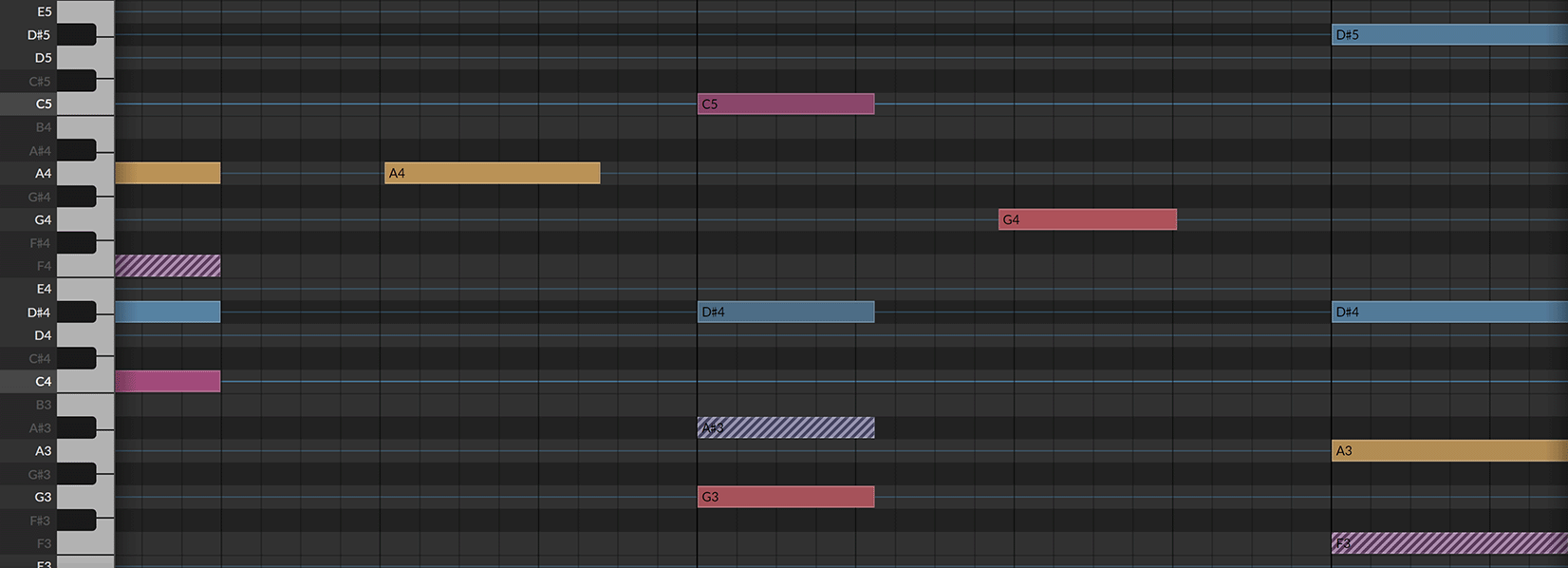
Studio 6 adds a project-wide key signature alongside tempo and time signature. The Piano Roll adapts its background to visualize the active scale, and a new Snap to Key function ([K] - constrains note editing to the project scale) harmonizes note-editing gestures to the key in real time. Quantize to Key snaps existing notes or full clips to the chosen scale after the fact. The key signature also feeds into note FX: the Arpeggiator and five other note-shifting devices gain a Use Global Key option, so transposition and harmonization stay locked to the project key without manual per-device setup.
Expression editing has been extended: micro-pitch, gain, pressure, and other per-note expressions are now editable directly on notes and audio within a folded Drum or Hybrid editor. The Detail Editor Panel and fullscreen Edit View both adapt to multiple clip selections, allowing note and audio lanes to be viewed and edited side-by-side. A back arrow navigates between the last ten editor selections.
New Tools and Interface Updates
Two new tools join the toolbar. The Audition Tool previews any track or clip in context without committing a change. The Step Input Tool provides fast, intuitive note entry with multi-note support. Editing tools are now displayed as a palette on the right side of the interface.
Arranger Auto Zoom enlarges the selected track or lane while keeping surrounding context visible. Clip Launcher clips now display their current position and loop count. Track headers resize dynamically with available space. When opening a project created in a previous version, Studio 6 automatically saves a permanent backup of the original file before migrating it.
Frequently Asked Questions
Is Bitwig Studio 6 a free upgrade?
Studio 6 is a free upgrade for customers who had an active Upgrade Plan as of August 27, 2025. If your plan lapsed before that date, renewal costs $169 (Studio) or $199 (Producer). Customers who have never owned Bitwig need to purchase a new licence.
What is the difference between the Studio, Producer, and Essentials editions?
Studio is the full edition at $399 and includes The Grid (Bitwig's modular synthesis environment) and the Spectral Suite. Producer is the mid-tier edition at $199. Essentials is $99 and covers the core DAW. All three editions receive the Studio 6 feature set. See the full feature comparison at Bitwig.com.
What is an Automation Clip?
An automation clip stores automation data as a standalone clip rather than data embedded in the global arrangement timeline. Automation clips support looping, independent start times, time-shifting, stretching, and aliasing. They can also be saved to the browser and dragged onto any device to preload a curve shape into Bitwig's Segments modulator.
How do Clip Aliases work?
Clip aliases link clips that share the same underlying pattern. Editing one alias propagates the change to every other clip sharing that pattern, across both the Arranger and Clip Launcher. When you need an independent variation, the Make Unique command breaks the clip out of the alias group. Merge Duplicate Patterns works in reverse, scanning existing clips and linking any with identical content retroactively.
Does Bitwig Studio 6 run on Linux?
Yes. Bitwig Studio supports macOS, Windows, and Linux across all editions. The 30-day unrestricted trial of the full Studio edition is available for all three platforms. Download from Bitwig.
Our View
Bitwig's credibility has grown steadily. Studio 5 was widely recognized as a DAW of the Year contender in 2023, and the hybrid clip/arrangement architecture is now a serious alternative to Ableton's. Studio 6 reads like a focused pass on the rough edges: automation editing that does not fight you, and structural tools for managing repetition without manually babysitting duplicates. Automation clips are the right call -- tying automation to clip events rather than forcing everything through the global timeline makes obvious sense once you have felt the friction of the current approach. Clip aliases are less showy but exactly the kind of thing you miss once you know it exists.
Based on what Bitwig has announced, not yet tested. Existing users who spend serious time on automation or manage a lot of repeated clips will find the upgrade hard to skip; those whose workflow is mostly recording and mixing will gain less from this particular release. Switchers from Ableton or FL Studio get a genuine architectural alternative, but Max for Live and FL's lifetime update model have no equivalents here -- check those dependencies before committing. New to DAWs: Essentials at $99 matches Ableton Intro on price and outpaces it on feature depth; the 30-day unrestricted trial removes the evaluation risk.
Pricing
Full Versions
Three editions, all available at bitwig.com. Compare editions.
- Studio (full edition, includes The Grid and Spectral Suite): $399 / £329 / €399
- Producer: $199 / £169 / €199
- Essentials: $99 / £77 / €99
Education Pricing
The full Studio edition is available for $269 (33% off) for students, teachers, and university or school staff. Eligibility requires verification through Bitwig. See the education pricing page and eligibility requirements. Site licences are also available for institutions.
Free Trial
30-day trial of the full Studio edition with no feature restrictions. Available for macOS, Windows, and Linux. Download from Bitwig.
Updates and Upgrades
All purchases include 12 months of upgrades. After expiry, your licence keeps working on the last version received (including minor updates). Renewing extends access to new major versions. This is not a subscription. How the Upgrade Plan works.
- 12-Month Upgrade Plan (Studio): $169
- 12-Month Upgrade Plan (Producer): $199
- Upgrade from 8-Track to Studio: $359
- Upgrade from Essentials/16-Track to Studio: $299
- Upgrade from Producer to Studio: $199
- Upgrade from 8-Track to Producer: $169
Legacy version owners (v1+) can also upgrade. Cross-edition and upgrade pricing shown at bitwig.com and Plugin Boutique.


Demos
Videos
Bitwig Studio 6: Official Trailer
New in Bitwig Studio 6: Automation Editing
New in Bitwig Studio 6: Automation Clips
New in Bitwig Studio 6: Clip Aliases
New in Bitwig Studio 6: Key Signatures
New in Bitwig Studio 6: Piano Roll & Expression Editing


